Examples
Both live under examples/ in the repository, and both run through transport-io dev,
which mints the certificate. Chrome or Firefox for both.
examples/chat.
Two pages against one server, with no framework: the library with nothing in front of it.
/ puts both lanes on one screen: chat on the reliable lane, cursors on the unreliable one,
a name assigned by a call, /say some words streaming the reply a word at a time, and a
slider that makes the server drop a share of your cursor frames so the other window watches
the unreliable lane lose them while chat arrives one for one.
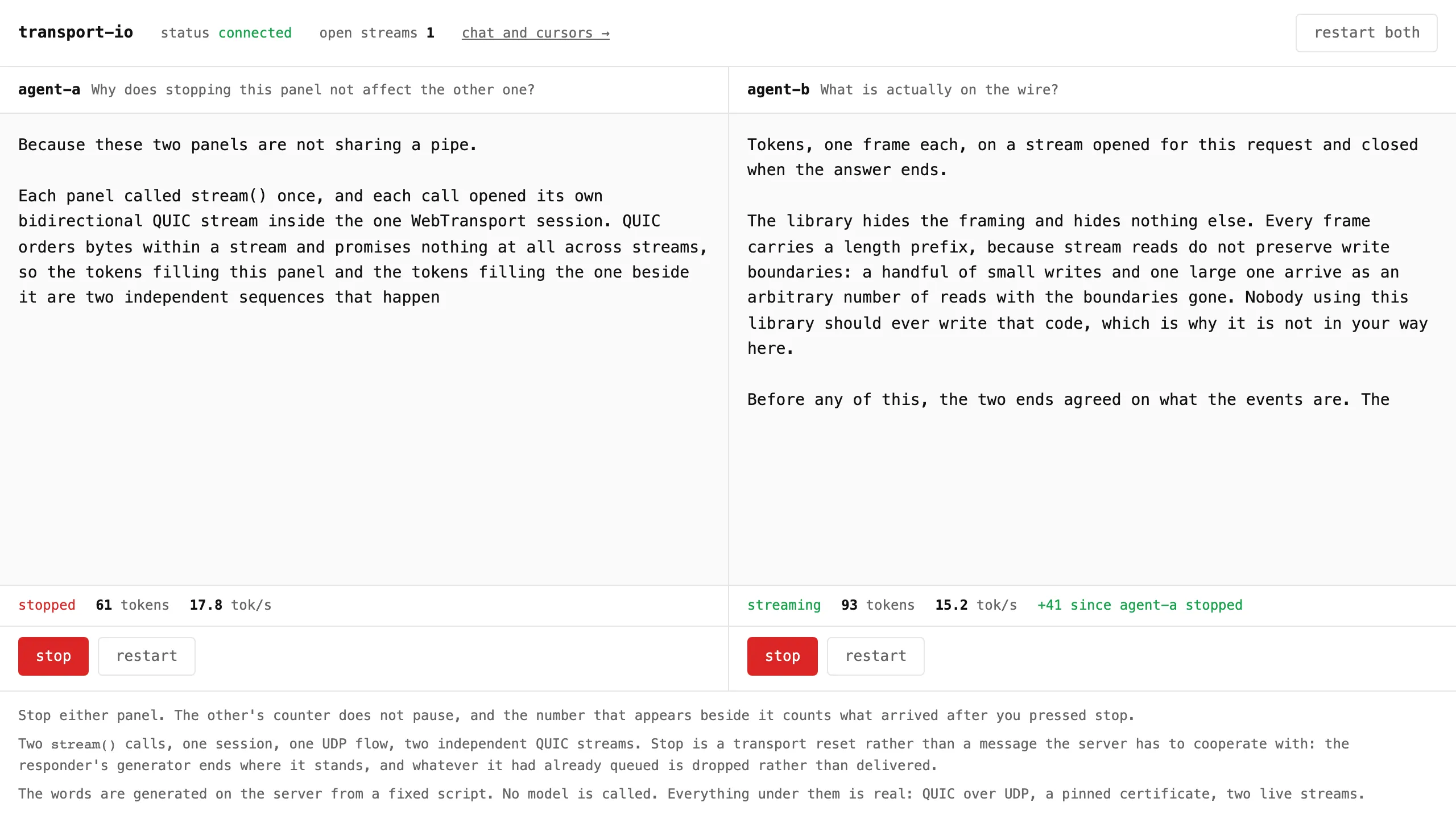
/agents.html runs two streaming calls at once and lets you stop either one. Stopping one
resets its QUIC stream: the server’s generator ends where it stood, and the other stream does
not lose a token.
Served from your own machine, both pages mount the devtools panel: the
button in the corner opens it, and every frame, stream and drop shows up in it. On
/agents.html its open-streams column has two entries while both agents run.
cd examples/chatbun run build:webnpx transport-io dev server.node.ts --static webOpen the printed URL in two windows.
contract.tsdeclares the five events and is the only place that says which lane each is on.app.tsholds the handlers, attached to whichever server hosts the contract.server.node.tsis the local server, under the dev command.agents.tsis the fixed script the second page streams. No model is called.web/is the two pages and their two entry modules, bundled intoweb/dist/.deploy/is the design and runbook for running it on a VPS with a real certificate.
examples/react.
The same chat on @transport-io/react, under Vite: the provider, useConnection,
useEvent, useCall and useStream, with no state library. The tutorial
builds it from an empty directory. The contract’s payloads are zod
schemas, so every inbound message is validated on arrival. It has the loss slider too: the
server drops a share of your cursor frames, and the other window watches the unreliable lane
lose them while chat arrives one for one.
Two terminals:
cd examples/reactnpm run servernpm run devOpen http://localhost:5173 in two windows. Vite proxies /.well-known/transport-io-dev to
the server’s port, which is how the page finds the certificate hash. npm run build then
npm start serves the built page from the dev command instead.
contract.tsis the events, shared by the server and the page.server.node.tsis the server, under the dev command.src/api.tsbinds the hooks to the map withcreateHooks<ChatMap>().src/App.tsxbuilds the client insideuseStateand hands it toTransportProvider.src/Chat.tsxis the connection state, the log, the composer with its stream, the received counts, the loss slider, and the cursor surface.